
self-exclusion options Key Takeaways
If you or someone you care about is looking to reduce or stop gambling, the right self-exclusion options and practical blocking tools can make the difference between a setback and lasting control.
- Combining a formal self-exclusion program with app-based gambling site blockers significantly reduces relapse risk.
- Built-in digital wellbeing tools on phones and computers offer free, always-on protection without extra software.
- Successful self-exclusion works best when you pair technical blocks with social support and a clear replacement plan.
Understanding Your self-exclusion options and Blocking Tools
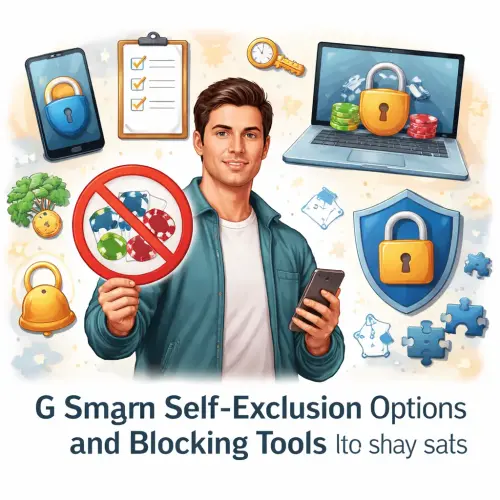
When you decide to step away from gambling, you need more than willpower alone. The most successful approach combines a formal self-exclusion program with technology that limits your access to gambling sites and apps. This layered strategy creates what experts call a “barrier of friction” — enough time between impulse and action to let your rational brain catch up.
Whether you are in the UK, Australia, Canada, or the US, the tools and programs available today are more powerful than ever. Let us walk through each method step by step, so you can build a personalised safety net that actually works.
Step 1: Enrol in a National self-exclusion program
Before you install any software, start with a formal agreement. National and state-run self-exclusion options are legally binding agreements between you and licensed operators. Once enrolled, those operators must refuse your business, remove you from mailing lists, and close your existing accounts.
How national self-exclusion programs work
In the UK, GAMSTOP is the national online self-exclusion scheme. You register once, and all GAMSTOP-participating gambling sites must block you for the period you choose (6 months, 1 year, or 5 years). You cannot reverse the decision early. Similar programs exist in Australia (BetStop), Canada (provincial programs like Ontario’s Self-Exclusion Program), and many US states (Voluntary Self-Exclusion lists for casinos and online platforms). For a related guide, see Offshore Online Casinos vs Singapore‑Licensed Operators.
What to prepare before you enrol
To sign up, you typically need identification (passport or driver’s licence), your email address, and the names of any gambling accounts you remember. The process takes between 10 and 20 minutes online. Some programs also allow you to self-exclude from land-based venues by providing a photo. Be honest about every account you recall — omission can weaken the protection.
Limitations you must know
No self-exclusion program is perfect. GAMSTOP, for example, covers only UK-licensed operators. Offshore sites that do not hold a UK licence may still accept your business. Similarly, provincial programs in Canada do not always cover unregulated online casinos. That is why the next step — adding technical blocks — is essential.
Step 2: Install gambling site blockers on Every Device
Software-based blockers add a second layer of defence. They prevent your devices from loading gambling websites and apps, even if you are not enrolled in a formal program. The best practical blocking tools run across computers, phones, and tablets.
Top gambling blocking apps compared
| Tool | Platform | Key Feature | Cost |
|---|---|---|---|
| BetBlocker | Android, iOS, Windows, Mac | Blocks by category or list; custom schedule | Free |
| Gamban | Android, iOS, Windows, Mac | Blocks gambling and some crypto trading sites | £2.99/month or £29.99/year |
| GamBlock | Windows, Mac, Android, iOS | Heuristic detection blocks new gambling sites | Free trial, then paid |
| Net Nanny | All platforms | Parental control with gambling filter optional | $39.99/year (first device) |
| Freedom | All platforms | Blocks apps and websites across all devices | $6.99/month or $39.99/year |
How to set up a site blocker correctly
After you choose a tool, download and install it on every device you use. Create an account, then enable the gambling block (and any related categories like casino, poker, bingo, or sports betting). Most apps let you set a lock period — the minimum is usually 24 hours, but a week or a month is safer. Ask a trusted friend or family member to set the PIN so you cannot disable the block impulsively.
Step 3: Activate Built-in digital wellbeing tools
Modern phones and computers already include powerful digital wellbeing tools that can block gambling content without extra apps. Learning to use these tools gives you free, immediate control.
On Android: Digital Wellbeing
Go to Settings > Digital Wellbeing and Parental Controls. Tap App timers to set a daily limit for each gambling app. Once the timer expires, the app icon turns grey and you cannot open it. For websites, use Chrome > Settings > Site settings > Blocked sites to add gambling URLs manually.
On iPhone: Screen Time
Open Settings > Screen Time. Tap App Limits, then Add Limit. You can block entire categories like “Casino” or “Gambling.” Scroll down to Content and Privacy Restrictions to block adult websites — this filter also catches many gambling domains. Enlist a friend to set the Screen Time passcode so you cannot bypass it.
On Windows and Mac
Windows 11 includes Family Safety — add your account as a child account and block gambling sites via the Family Safety app. On a Mac, go to System Settings > Screen Time > Content and Privacy > Store and Web Restrictions to limit adult content, which filters many gambling sites. For stricter control, combine these built-in features with a dedicated blocker listed above.
Step 4: Block Gambling Payments with a Spending Freeze
Even if a site loads, you can stop yourself from depositing money. Contact your bank or credit card provider and request a gambling block. Many banks in the UK, Australia, and Canada now offer this service for free. It prevents card transactions to gambling merchants regardless of the website.
How to set up a gambling block with your bank
Call the customer service number on the back of your card or use the bank’s app. Say: “I want to enable the gambling block on my account.” The block usually activates within 24 hours and lasts indefinitely unless you request removal (which often has a 48-hour cooling-off period). Some banks also allow you to block cash withdrawals from ATMs at casinos.
Step 5: Combine Multiple practical blocking tools for Maximum Protection
Research consistently shows that using two or three blocking methods at once greatly increases the chance of staying gamble-free. A national self-exclusion program stops you at the operator level, a blocker like Gamban or BetBlocker catches unlicensed sites, and a bank gambling freeze makes deposits physically impossible. For a related guide, see PayNow vs Bank Transfers: 5 Smart Local Payment Methods.
Sample layered protection plan
- Week 1: Enrol in GAMSTOP (or your local program). Install BetBlocker on phone and laptop. Call bank to add gambling block.
- Week 2: Turn on Screen Time on iPhone or Digital Wellbeing on Android. Give the passcode to a trusted friend.
- Week 3: Remove all gambling apps and bookmarks. Unsubscribe from casino marketing emails.
- Ongoing: Review your block settings monthly. Adjust if you find a gap — for example, if you discover a new site not yet blocked.
Comparison of self-exclusion options vs. blocking tools
Neither approach is enough on its own, but each serves a different purpose. A self-exclusion program creates a formal barrier with legal teeth — attempting to gamble at a licensed venue becomes a breach of rules. However, it cannot stop you from using offshore or crypto-based sites. Practical blocking tools fill that gap by targeting the device you use to access gambling content. When combined, they provide both legal and technical cover.
Troubleshooting Common Issues with Blocking Tools
Even the best gambling site blockers can have hiccups. Here is how to handle the most common problems.
Blocked content still loads
First, check that the blocker is active and up to date. Some tools need a manual update to catch new gambling domains. If you use a VPN, try disabling it — many blockers do not filter traffic through VPNs. Switch to a browser extension version if the system-level block does not work.
Can’t uninstall or disable the blocker
This is usually intentional. Most blockers require administrative rights or a PIN to uninstall. If you genuinely need to remove it (for example, you have moved to a country where the tool is unavailable), contact the app’s support team. They can sometimes issue a one-time removal code after verification.
Blocker slows down internet
Some blockers scan all traffic in real time, which can slow pages slightly. Try switching to a DNS-based blocker (like OpenDNS FamilyShield), which works at the network level and does not affect speed on individual devices.
Optimisation Tips for Long-Term Success
Using practical blocking tools is not a one-time task — it is an ongoing practice. Here are three ways to strengthen your protection over time.
- Review your block list every 90 days. Gambling sites change domains frequently. Add any new URLs you encounter to your manual block list.
- Involve an accountability partner. Give them the passcode to change your blocker settings. Schedule a check-in call once a week to discuss your progress.
- Replace the blocked time with something meaningful. The best way to make blocking stick is to fill the gap with a hobby, exercise, or learning a new skill. Your digital wellbeing tools can even be used to limit other distracting apps, freeing up more time for positive habits.
Useful Resources
If you are ready to start your self-exclusion journey, these official resources offer direct registration and more detail:
- GAMSTOP — UK National Self-Exclusion Scheme — Register here to block all UK-licensed online gambling operators.
- BeGambleAware — Support and Information — Independent advice on gambling addiction, treatment options, and blocking tools.
Disclaimer: This article provides educational information only and is not a substitute for professional medical or therapeutic advice. If you or someone you know is struggling with gambling addiction, please contact a licensed healthcare provider or a gambling support helpline in your country. For a related guide, see National Council on Problem Gambling Services: 3 Smart Ways.
Frequently Asked Questions About self-exclusion options
What are self-exclusion options for gambling?
Self-exclusion options are formal programs that let you voluntarily ban yourself from gambling venues or online sites. Once enrolled, licensed operators must refuse your business for a fixed period.
How long does self-exclusion last?
Most programs offer periods of 6 months, 1 year, or 5 years. Some allow permanent exclusion. You cannot reverse the decision early once you have confirmed the period.
Can I self-exclude from all casinos at once?
Yes, if the casinos are part of a national or state-run program like GAMSTOP or BetStop. For land-based casinos not in the scheme, you may need to contact each venue individually.
Do self-exclusion programs cover online poker?
Most broad programs like GAMSTOP cover poker sites that hold a gambling licence. Always check the program’s scope — some exclude poker sites that operate under separate licensing.
What is the difference between self-exclusion and a site blocker?
Self-exclusion options are legal agreements with gambling operators. Site blockers are software that prevents your devices from loading gambling content. They work best together.
Are gambling site blockers effective?
Yes, especially when paired with a self-exclusion program. Studies suggest that users who combine both tools are significantly more likely to maintain abstinence over six months.
Do I need to pay for a gambling blocker?
No, tools like BetBlocker are free. Others like Gamban cost a small monthly fee. Built-in phone and computer settings are completely free.
Can a blocking tool be uninstalled too easily?
Most quality blockers require a PIN or administrative password to uninstall. You should give that PIN to a trusted friend so you cannot bypass it when tempted.
Will a blocker stop me from seeing gambling ads?
Some blockers include an ad-blocking feature that reduces gambling ads. However, most ads are served by third parties, so complete removal is not guaranteed.
Can I use a self-exclusion program outside my country?
National programs like GAMSTOP only apply within their jurisdiction. If you live abroad, look for a self-exclusion program in your country or use international blockers instead.
Does self-exclusion affect my credit score?
No, self-exclusion does not appear on your credit report. It is a private agreement between you and the gambling operator.
What happens if I try to gamble while self-excluded?
If you attempt to gamble on a site covered by your self-exclusion options, the operator must refuse your business and may close any new account you open. Repeated attempts could lead to disciplinary action.
Can I self-exclude from multiple countries at the same time?
Yes, but each country has its own scheme. You would need to register separately with each applicable program.
Are digital wellbeing tools enough on their own?
They are a good start, but they lack the legal enforcement of a formal self-exclusion program. Use them together for the strongest protection.
How do I block gambling on my child’s device?
Use parent-friendly practical blocking tools like Screen Time (iOS), Family Link (Android), or Microsoft Family Safety (Windows). You control the passcode.
Can I block gambling payments through PayPal?
PayPal does not currently offer a gambling-specific block. You can only prevent payments by removing linked funding sources or contacting your bank.
Is there a self-exclusion program for sports betting?
Yes, most national self-exclusion options cover sports betting as a category, provided the operator holds a licence under the program.
Will a blocker work on my smart TV?
Most blockers do not have native smart TV apps. You can block gambling at the router level using OpenDNS FamilyShield to cover every device on your home Wi-Fi.
How do I cancel a self-exclusion after the period ends?
After your exclusion period ends, you may contact the operator to be reinstated. Some programs require a mandatory 24-hour cooling-off period before reopening your account.
Where can I get help if I relapse despite using these tools?
If you relapse, do not give up. Reach out to organisations like BeGambleAware, the National Problem Gambling Helpline (UK: 0808 8020 133), or your local support service. Adjust your practical blocking tools and re-enrol in a self-exclusion program with a longer period.